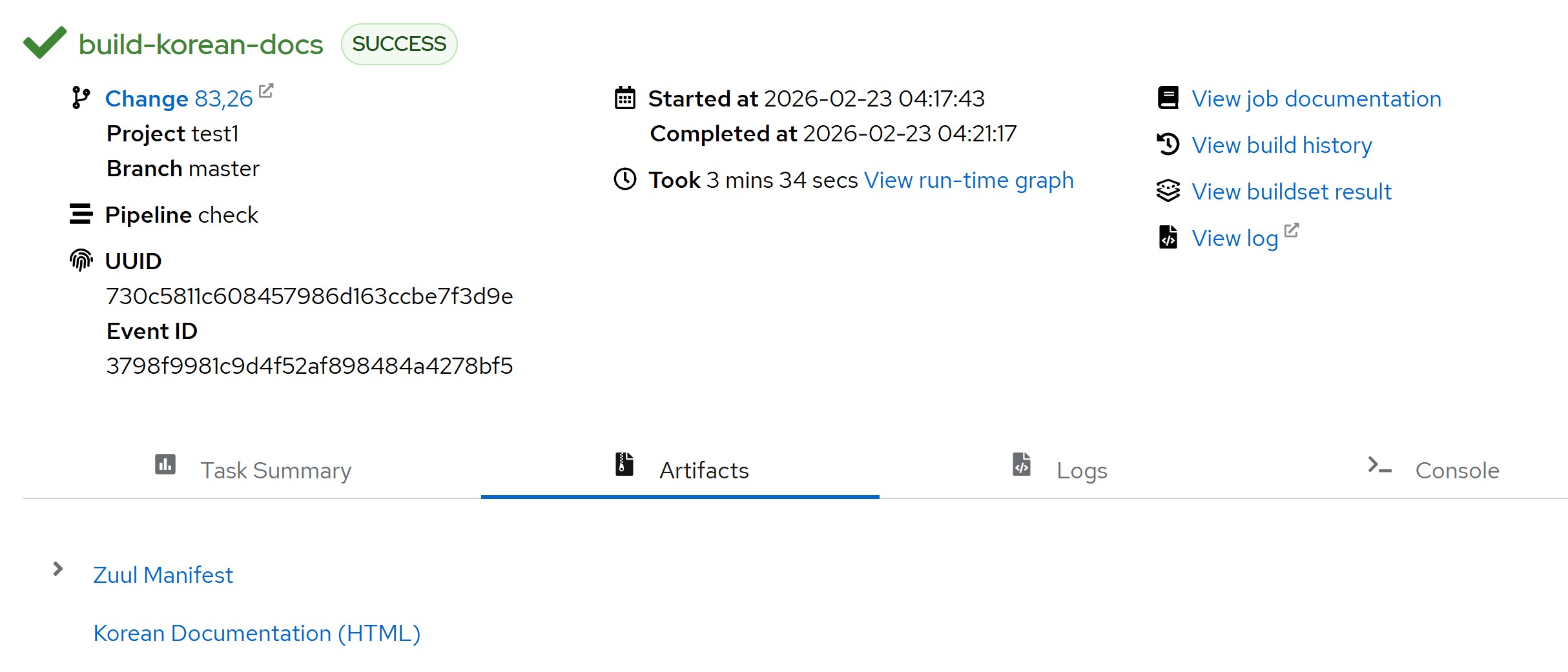
Zuul 문서 번역을 위한 Ansible module
Ansible playbook을 통한 Zuul 문서 번역에 사용한 module 정리입니다.
Requirements
-
Using Shell script to build HTML documentation
위 쉘 스크립트를 사용합니다. 수행하는 작업은 아래와 같습니다.
- A. virtual environment 생성
- B. venv에 dependencies 설치
- C. po 파일 컴파일을 통한 mo파일 생성
- D. 번역된 HTML파일 빌드
-
Using Zuul with Ansible playbook
Zuul 환경에 Job을 추가해서 번역한 po파일을 커밋하면 번역된 HTML파일이 생성되도록 합니다.
Ansible playbook
번역을 위해 playbook에 포함할 작업은 다음과 같습니다.
- 파이썬 환경설정
- Zuul repository 클론
- 프로젝트의 번역된 po파일을 zuul/doc/source/locale로 복사
- 번역 문서 빌드 스크립트 실행
- 결과물(HTML) 가져오기
Ansible module
위 playbook 작성에 사용한 module들 입니다.
-
ansible.builtin.shell
ansible.builtin.shell: | export DEBIAN_FRONTEND=noninteractive apt-get update apt-get install -y software-properties-common gnupg gnupg2 add-apt-repository -y ppa:deadsnakes/ppa apt-get update apt-get install -y gettext python3.11 python3.11-venv python3.11-dev graphviz fonts-nanum -
ansible.builtin.command
ansible.builtin.command: "bash {{ zuul_doc_path }}/build-translated-lang.sh ko_KR"
args:
  chdir: "{{ zuul_doc_path }}"
작성한 명령을 실행하는 모듈 2가지입니다.
유사한 모듈이지만 차이가 있습니다.
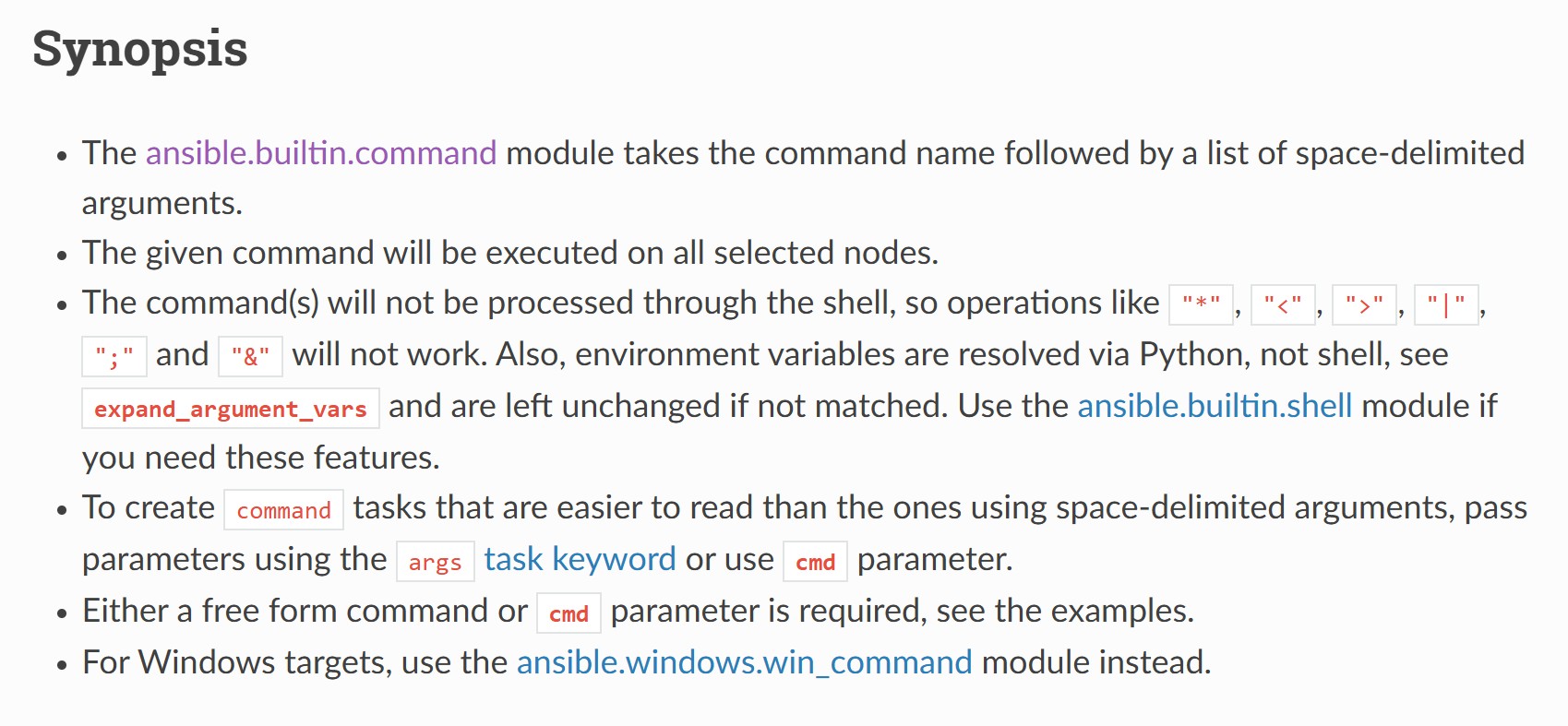
ansible.builtin.command의 Synopsis입니다.
ansible.builtin.shell과 달리 shell을 거치지 않고 프로그램이 실행돼서 | 기호를 통한 연속적인 명령 수행이 불가능하다는 차이점이 있습니다.
연속적인 명령이 필요한 파이썬 환경설정을 ansible.builtin.shell로 해결하고
build-translated-lang.sh 스크립트를 실행하는 부분은 ansible.builtin.command로 해결합니다.
-
ansible.builtin.git
ansible.builtin.git:
   repo: '[https://opendev.org/zuul/zuul.git](https://opendev.org/zuul/zuul.git)'
   dest: "{{ ansible_user_dir }}/zuul-repo"
Zuul repoistory를 클론해오는 ansible.builtin.git 모듈입니다. repo와 dest parameter를 꼭 포함해야합니다.
repo parameter에 git repository의 git, SSH, 혹은 HTTP(S) 주소를
dest parameter에 저장할 위치를 입력합니다.
-
ansible.builtin.copy
ansible.builtin.copy:
   src: "{{ zuul.project.src_dir }}/l10n-artifact/build-translated-lang.sh"
   dest: "{{ zuul_doc_path }}/build-translated-lang.sh"
   mode: '0755'
   remote_src: yes
ansible.builtin.copy: src: "{{ zuul.project.src_dir }}/l10n-artifact/ko_KR" dest: "{{ zuul_doc_path }}/source/locale/" remote_src: yes
local 혹은 remote머신의 파일을 remote머신으로 복사하는 ansible.builtin.copy 모듈입니다.
여기서 local은 Zuul 메인 서버가 기준입니다.
따라서 두 경우 모두 remote_src parameter를 yes로 수정해서 복사합니다.
또한 dest의 경로가 현재 존재하지 않는 경우 실패하는 점을 주의해야합니다.
그리고 src가 파일이면 dest도 파일이어야하고
src가 디렉터리면 dest도 디렉터리여야합니다.
-
ansible.builtin.file
ansible.builtin.file:
   path: "{{ zuul_doc_path }}/source/locale"
   state: directory
파일, 디렉터리를 수정하는 ansible.builtin.file 모듈입니다.
위에서 설명한 ansible.builtin.copy모듈의 dest경로 지정을 위해 사용합니다.
path parameter에 원하는 디렉터리의 경로를
state에 디렉터리를 입력해서 path에 작성한 경로를 모두 생성합니다.
-
ansible.posix.synchronize
ansible.posix.synchronize:
   src: "{{ zuul_doc_path }}/build/html/ko_KR/"
   dest: "{{ zuul.executor.log_root }}/html_docs/"
   mode: pull
ansible.posix.synchronize모듈은 리눅스의 파일 동기화 도구인 rsync의 wrapper입니다.
mode parameter에 pull을 전달해서 remote머신의 src 디렉터리를 local머신의 dest 디렉터리로 가져옵니다.
위에서 사용한 local to remote 복사모듈인 ansible.builtin.copy의 반대기능을 하는
ansible.builtin.fetch 모듈도 ansible에 있지만 fetch모듈은 파일 전송 가능한점을 개선하기 위해
synchronize모듈을 사용합니다.
-
zuul_return
    zuul_return:
      data:
        zuul:
          artifacts:
            - name: "Korean Documentation (HTML)"
              url: "html_docs/index.html"
zuul_return 모듈은 Zuul 환경에서 사용되는 전용 ansible 모듈입니다.
해당 모듈을 사용해서 Zuul 웹 대시보드의 artifacts에 빌드된 HTML파일을 연결합니다.